To export your personal notes, click on Export notes on the bottom right of your personal notes.
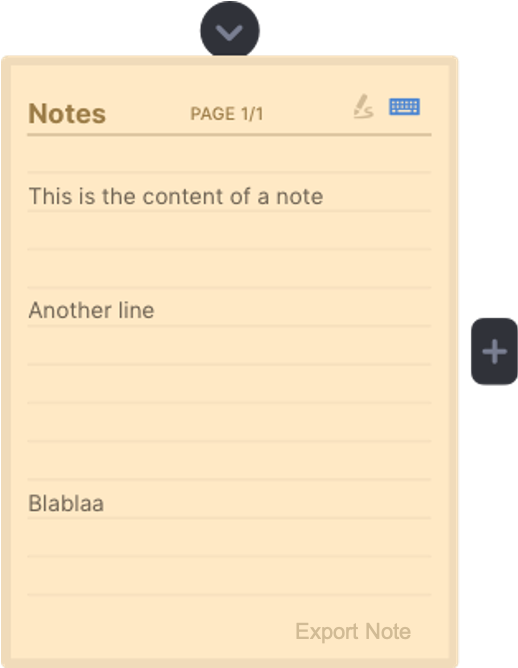
You can then just email your personal notes to your inbox.
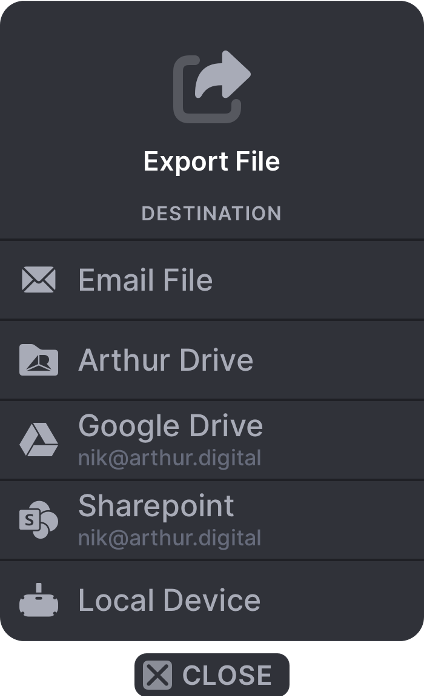
1. Click on "Email File" with the trigger button
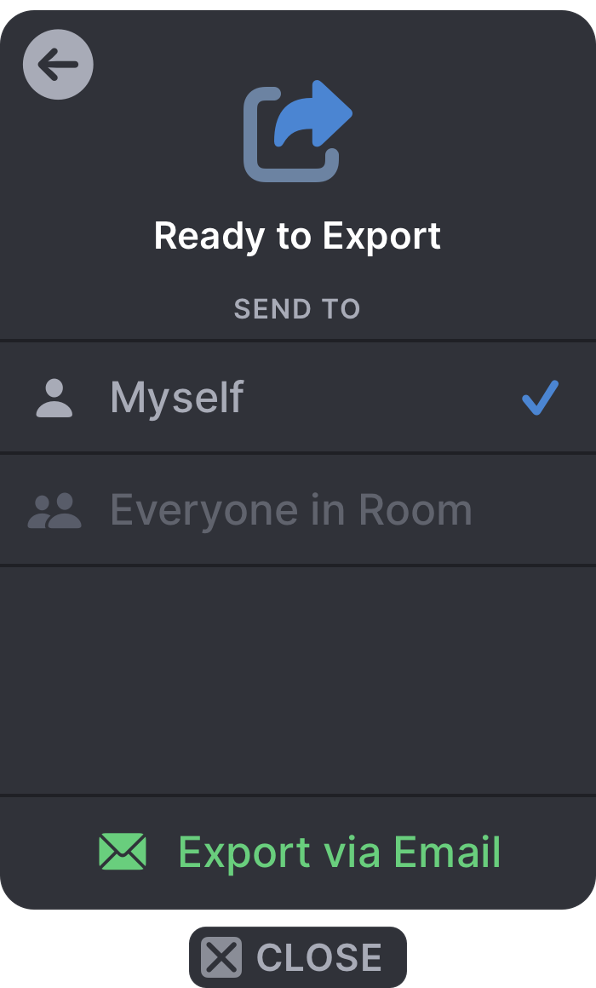
2. Chose "Myself" to only send the personal notes to yourself, or "Everyone in the room" if you'd like all the meeting participants to receive the personal notes.
3. Click on "Export via Email" to finish exporting. The personal notes will be in your Email inbox immediately.
Continue the learning path here: Do my notes stay in my personal notebook after leaving a VR meeting?